
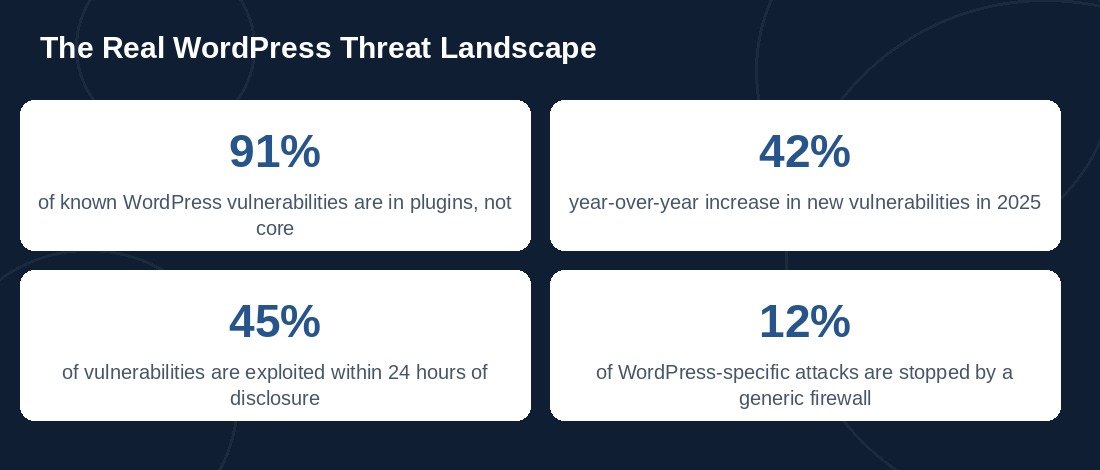
WordPress security researchers logged over 11,000 new vulnerabilities in 2025 alone — a 42% jump from the year before. The good news is that the platform itself isn’t the problem: 91% of known vulnerabilities live in third-party plugins, not WordPress core. That means most of what puts a site at risk is preventable with the right habits. Here’s the checklist we run on every site we manage.
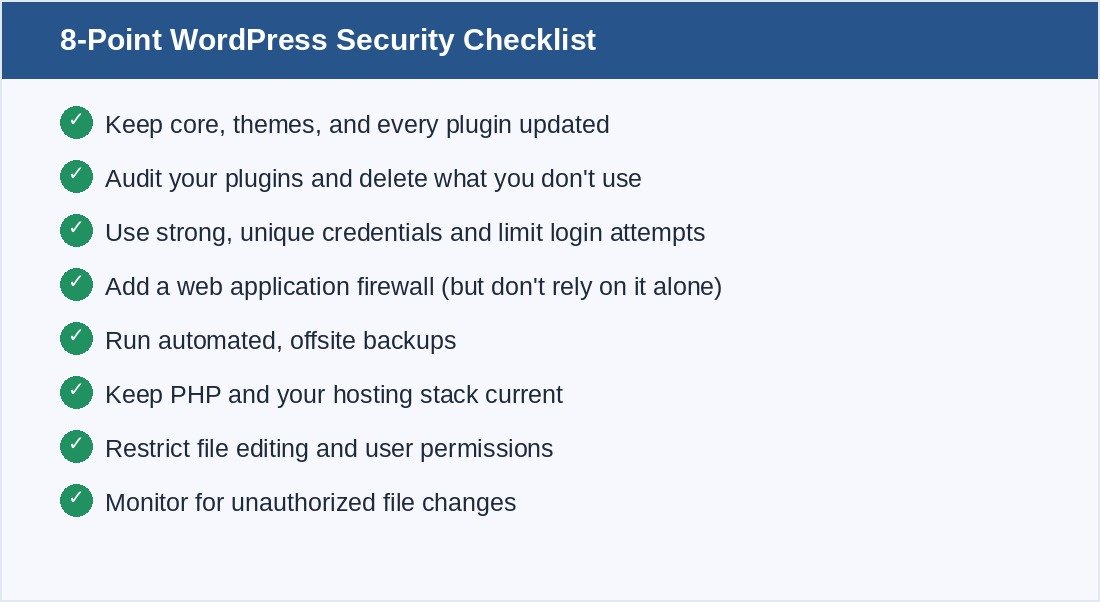
1. Keep Everything Updated — Core, Themes, and Every Plugin
This sounds obvious, but it’s still the single biggest factor in whether a site gets hacked. Attackers move fast once a vulnerability becomes public: 20% of vulnerabilities are mass-exploited within 6 hours of disclosure, 45% within 24 hours, and 70% within a week. A plugin left un-updated for even a few days after a patch is released is a real, measurable risk — not a theoretical one.
2. Audit Your Plugins and Delete What You Don’t Use
Every inactive plugin is still a potential entry point if it has a vulnerability, even while deactivated in some cases. Since plugins account for 91% of WordPress vulnerabilities, the single highest-leverage security move most site owners can make is running a plugin audit and removing anything that isn’t earning its place.
3. Use Strong, Unique Credentials and Limit Login Attempts
Brute-force login attempts remain one of the most common attack types against WordPress sites. Weak or reused passwords, combined with unlimited login attempts, make this an easy win for automated attack scripts. Strong unique passwords, two-factor authentication on admin accounts, and a login-attempt limiter close off one of the most heavily automated attack paths.
4. Add a Web Application Firewall — But Don’t Rely on It Alone
A web application firewall (WAF) is a genuinely useful layer, but it isn’t a complete solution on its own: generic firewalls block only about 12% of WordPress-specific attack patterns, because so many exploits target logic specific to individual plugins. A WAF is worth having, but it’s a layer of defense, not a substitute for keeping software updated.
5. Run Automated, Offsite Backups
If every other layer fails, backups are what determine whether a hack is a minor inconvenience or a disaster. Backups should run automatically, store at least a few recent versions, and — critically — save to a location separate from the server itself, so a compromised site can’t take its own backups down with it.
6. Keep PHP and Your Hosting Stack Current
Roughly half of all WordPress sites still run on PHP versions that no longer receive active security patches. An outdated PHP version can undermine even a well-maintained WordPress install, since vulnerabilities at the server-language level sit below anything a plugin or firewall can fix. Confirm with your host that you’re on a supported, actively patched PHP version.
7. Restrict File Editing and User Permissions
Not every user needs administrator access, and WordPress’s built-in theme/plugin file editor is a convenience most sites should disable outright — it’s an easy target if an account is ever compromised. Reviewing user roles periodically and disabling in-dashboard file editing removes a shortcut attackers otherwise rely on.
8. Monitor for Unauthorized Changes
File-integrity monitoring or a security plugin that scans for unexpected changes to core files can catch a compromise early — often the difference between a quiet cleanup and a site that’s been quietly serving malware to visitors for weeks.
How Danovate Solutions Keeps Client Sites Secure
Security isn’t a one-time setup — it’s an ongoing responsibility, which is why it’s built into our WordPress Maintenance & Support plans: updates, monitoring, backups, and hardening handled continuously rather than left until something breaks. If you’re not confident your site is covered on all of the points above, get in touch and we’ll run a security review.